

Skip to content

Safety Meeting: Toolbox TalksiPhone and iPad, iOS 17+

Proof the meeting happened.

ToolboxLog turns the toolbox talk your crew already holds into a signed PDF you can hand an inspector, an insurer or a client years later. Pick a topic, tap the people who showed up, pass the phone around so each one signs, and the record is done.

Format
PDF, US Letter, page-numbered throughout
Signatures
Drawn on the phone, beside each printed name
Network
Not required. No account, no server, no sync.
Library
132 talks, every one in English and Spanish

Signed on site

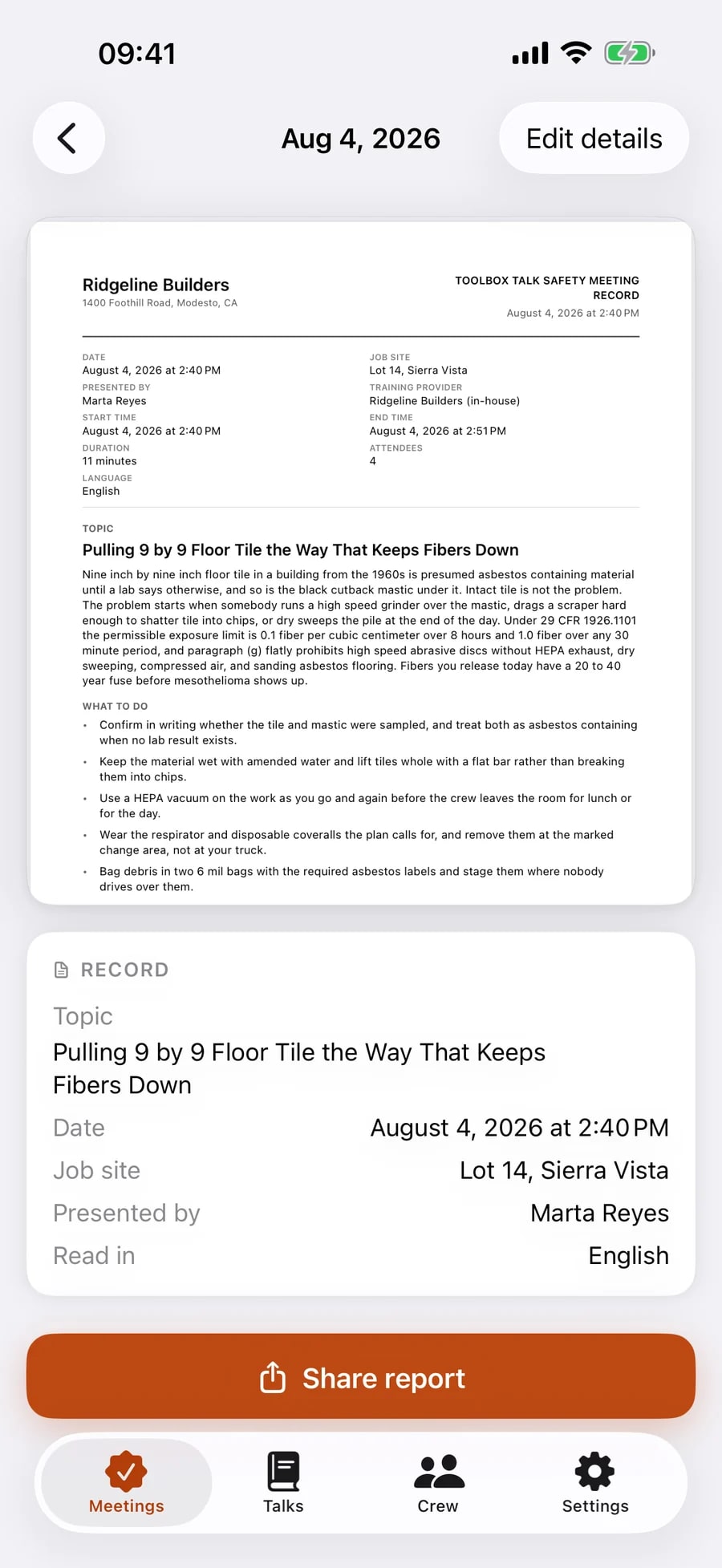
A finished meeting in ToolboxLog: the rendered safety meeting record showing company name and address, date, job site, presenter, duration, attendee count and the full topic text, with a Share report button.
The record, on the phone that made it

Every rival in this category is rated under 3.7 stars. Their reviews say why.

Too slow at 6:45am. Too many screens. And the archive locked the day the subscription lapsed. Those three complaints are the whole product brief, and they are the three things this app refuses to do.

Offline, and no account.

No sign-up, no login, no server. The foreman with no bars runs the meeting as fast as the one in the office.

Two screens, under a minute.

Topic, crew, signatures, done. Nothing loads. Nothing syncs. Nothing waits for a spinner while eight people stand in the cold.

The archive is never locked.

A meeting you have signed stays viewable and re-shareable forever, subscription or not. The free tier limits new records, never old ones.

Four taps between the tailgate and the file.

The whole flow, in the order a foreman does it. Every screen below is a capture of the shipped app, taken by its own test suite, so the site cannot show you something the build does not do.

  1. Step 01. Pick the topic and the crew.

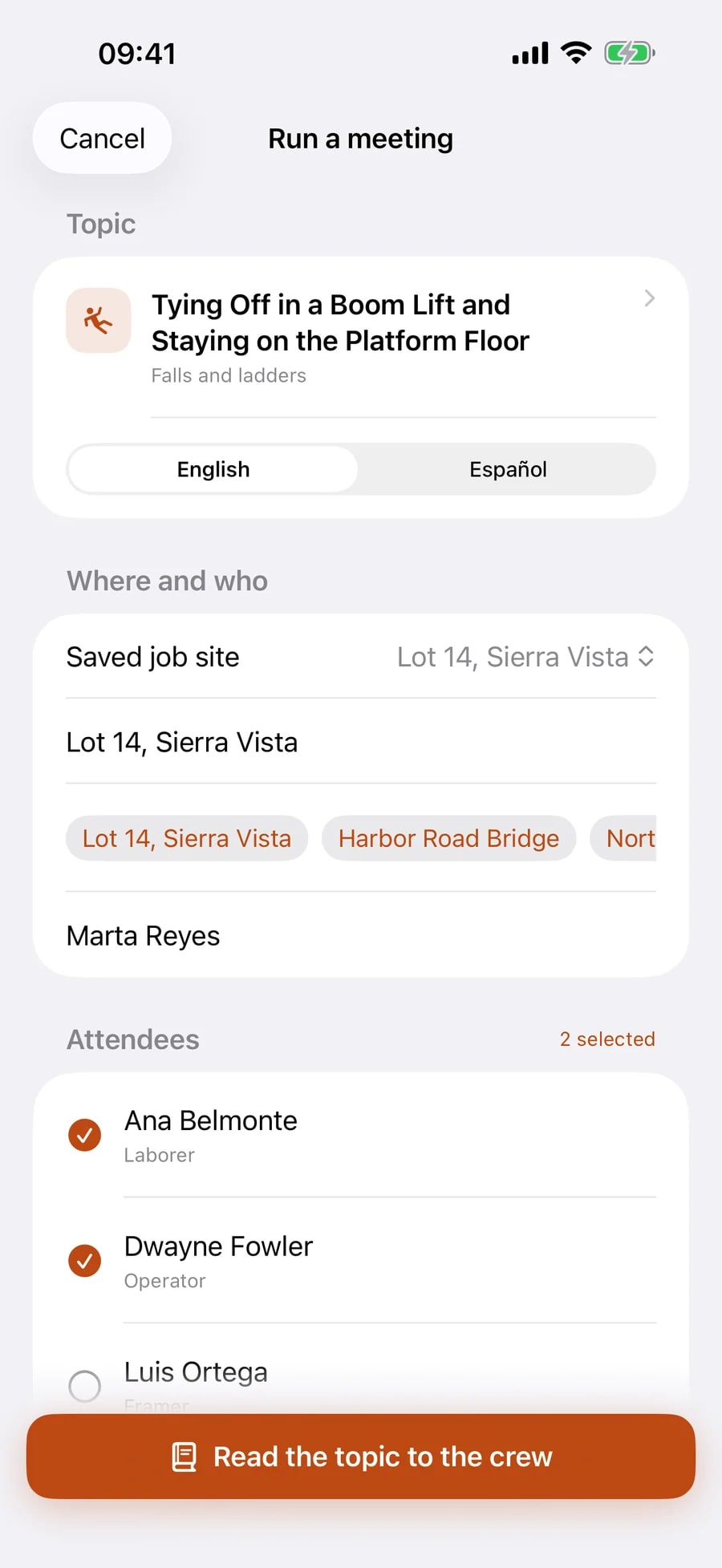
    One screen. Choose a talk, pick the job site off the saved list, tap the people who showed up. The roster is already there, so marking attendance is tapping names rather than typing them. Read it in English or in Spanish without changing the language of the phone.

    The Run a meeting screen: a chosen talk on falls and ladders, an English and Español switch, a saved job site, and a crew list with two attendees already checked.
  2. Step 02. Read it out loud.

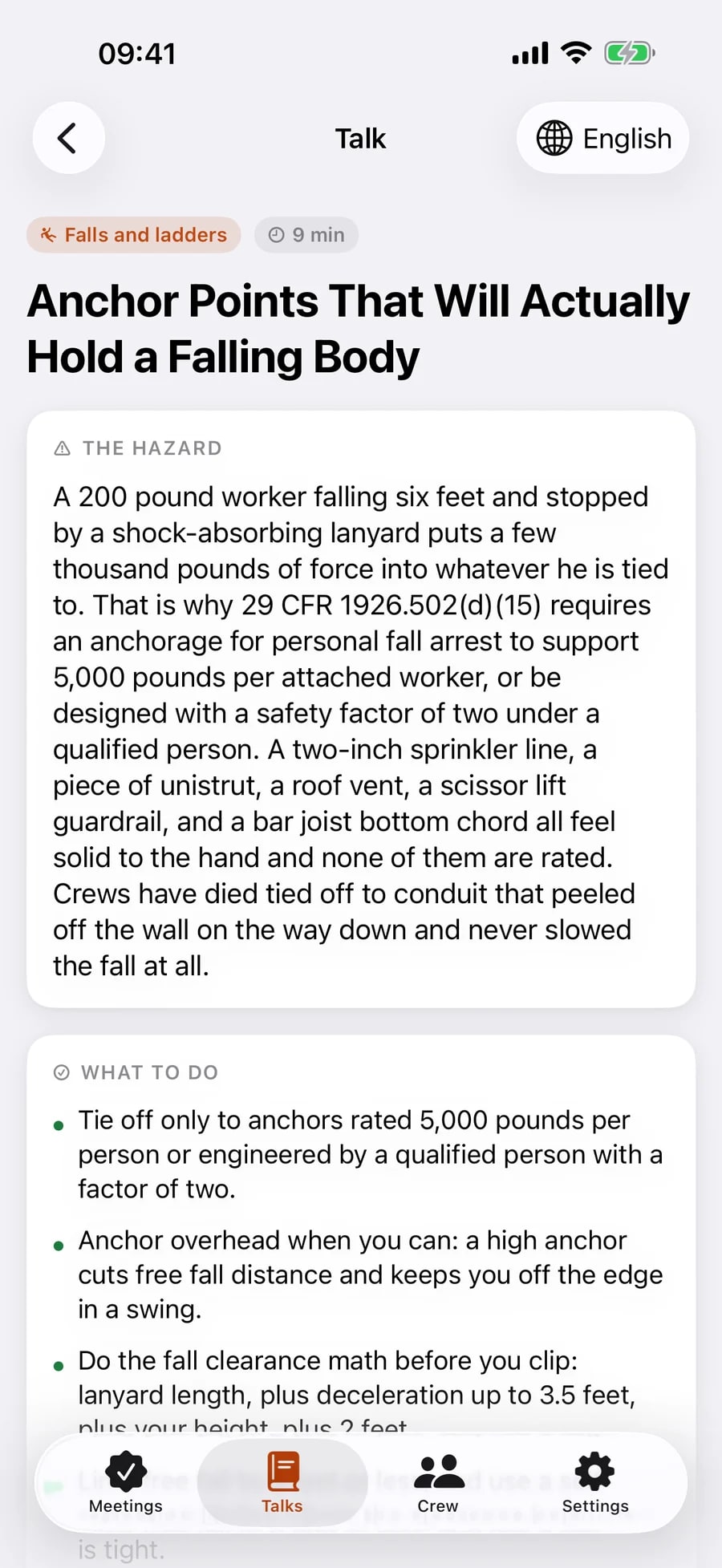
    Every talk is a readable half page written to be said on a job site: the hazard in plain words, what to do, what not to do, and questions that make somebody other than the foreman speak. Six to ten minutes, and the standard it comes from is cited in the text.

    A talk open on the phone: Anchor Points That Will Actually Hold a Falling Body, with a hazard section citing 29 CFR 1926.502(d)(15) and a what-to-do list.
  3. Step 03. Pass the phone. They sign.

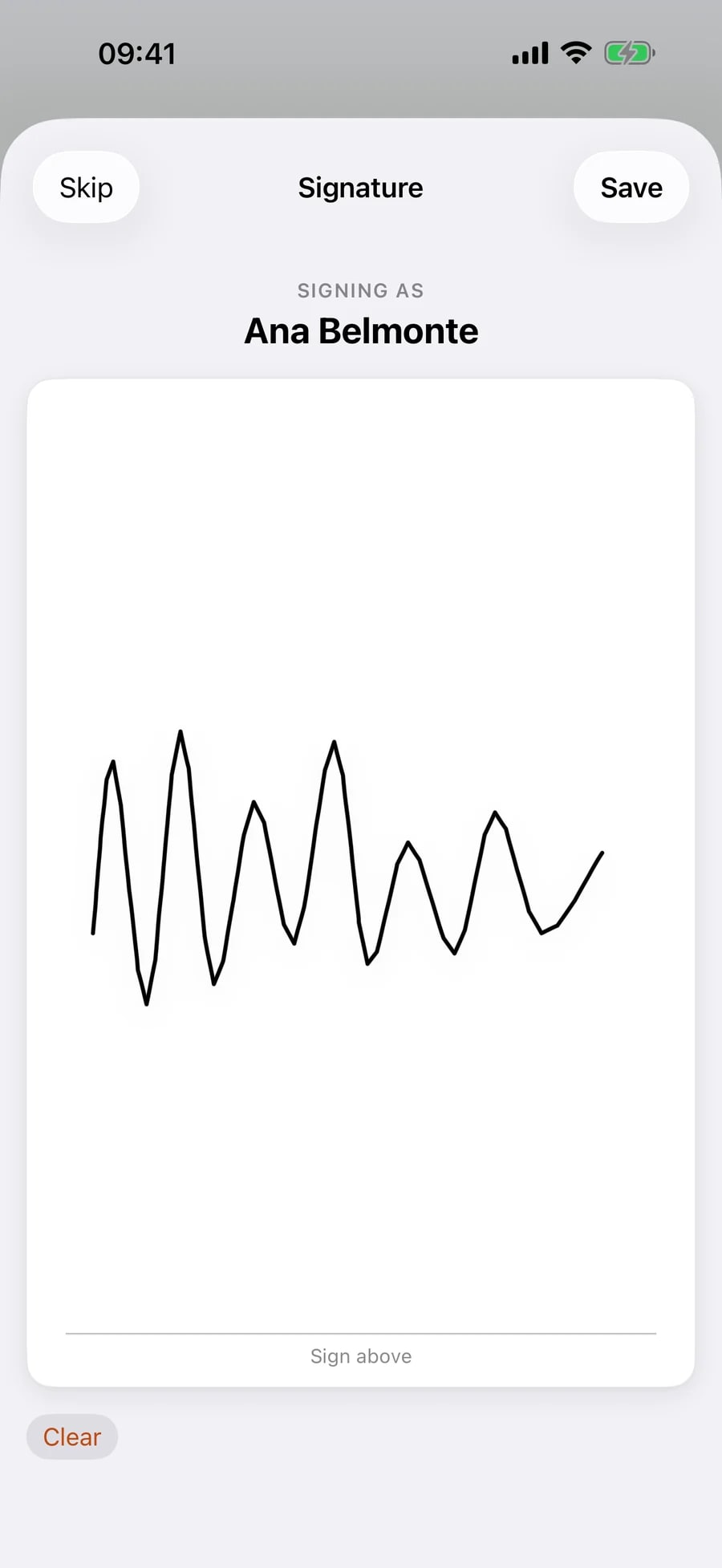
    Each worker signs on screen with a finger, next to their own printed name. Nothing to hand back to the office, no sheet to lose in a truck, no scanning at the end of the week.

    The signature pad: SIGNING AS Ana Belmonte above a white sheet with a signature drawn on it, and Skip, Save and Clear controls.
  4. Step 04. The record is done.

    The PDF renders as the last signature lands. Share it by Mail, Messages or AirDrop, save it to Files, or leave it in the archive and pull it out in three years when somebody asks.

    A finished meeting: the rendered report showing company name and address, date, job site, presenter, attendee count and the full topic text, with a Share report button.

A document, not a tick in a box.

The report is rendered on the device as a US Letter PDF. It paginates when the crew is big, keeps each signature beside the printed name it belongs to, and prints the topic in full, because a record that says only “Fall protection, covered” proves nothing about what was said.

A meeting snapshots its own topic text, company branding and every attendee’s printed name, so a record signed today renders identically in 2032, even if the talk was edited and half the crew has moved on.

Masthead
Your company name, address and logo
Meeting
Date, start and end time, duration, job site
Presented by
The person who read it, and the training provider
Topic
The full text as it was read, not a title and a tick
Attendance
Every printed name beside the signature that person drew
Language
The language the meeting was actually read in
Pagination
Page N of M on every page, however big the crew
Paper
US Letter PDF, shared or saved straight to Files
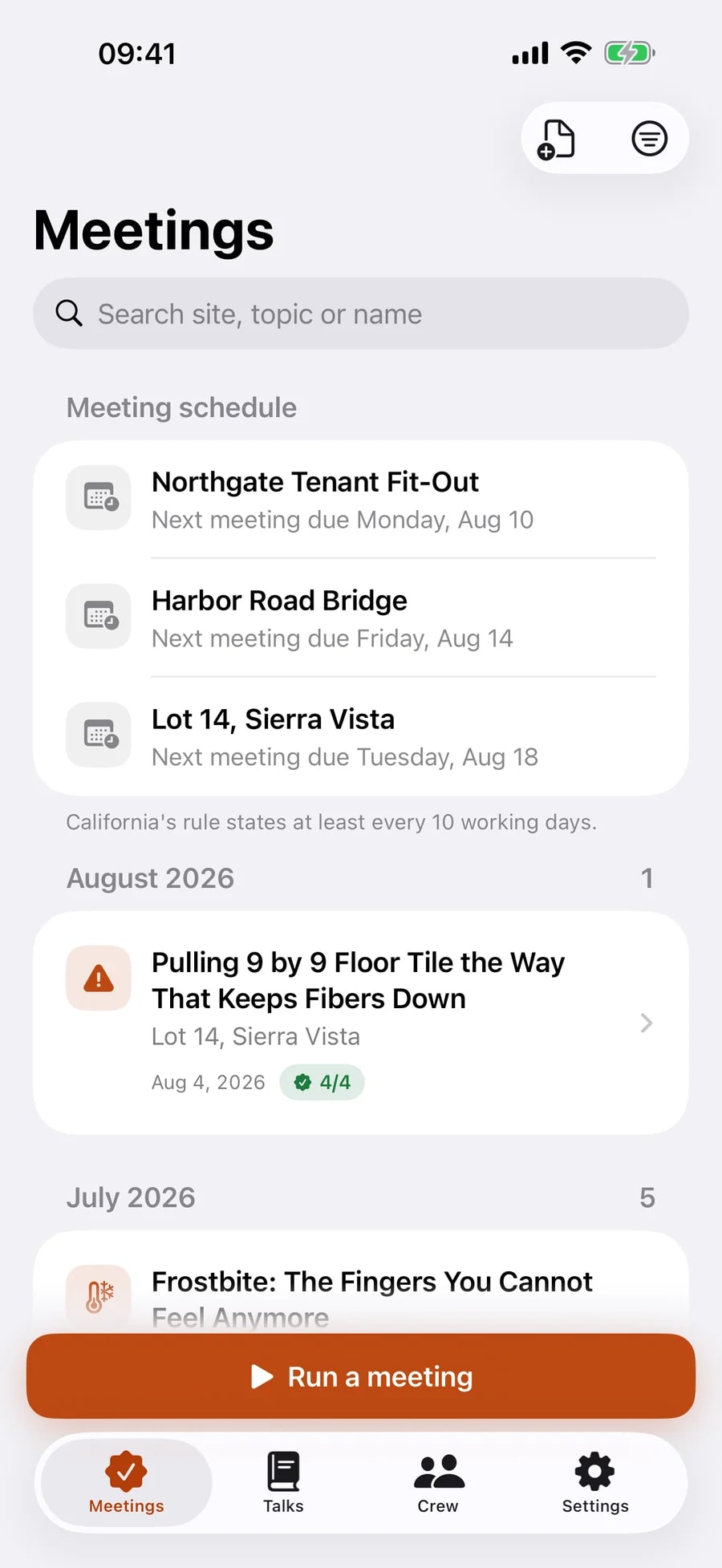
The Meetings tab: a meeting schedule listing three job sites with their next due dates, then signed meetings grouped by month, each showing the topic, the site, the date and how many of the crew signed.
Archive, searchable by site, topic or name
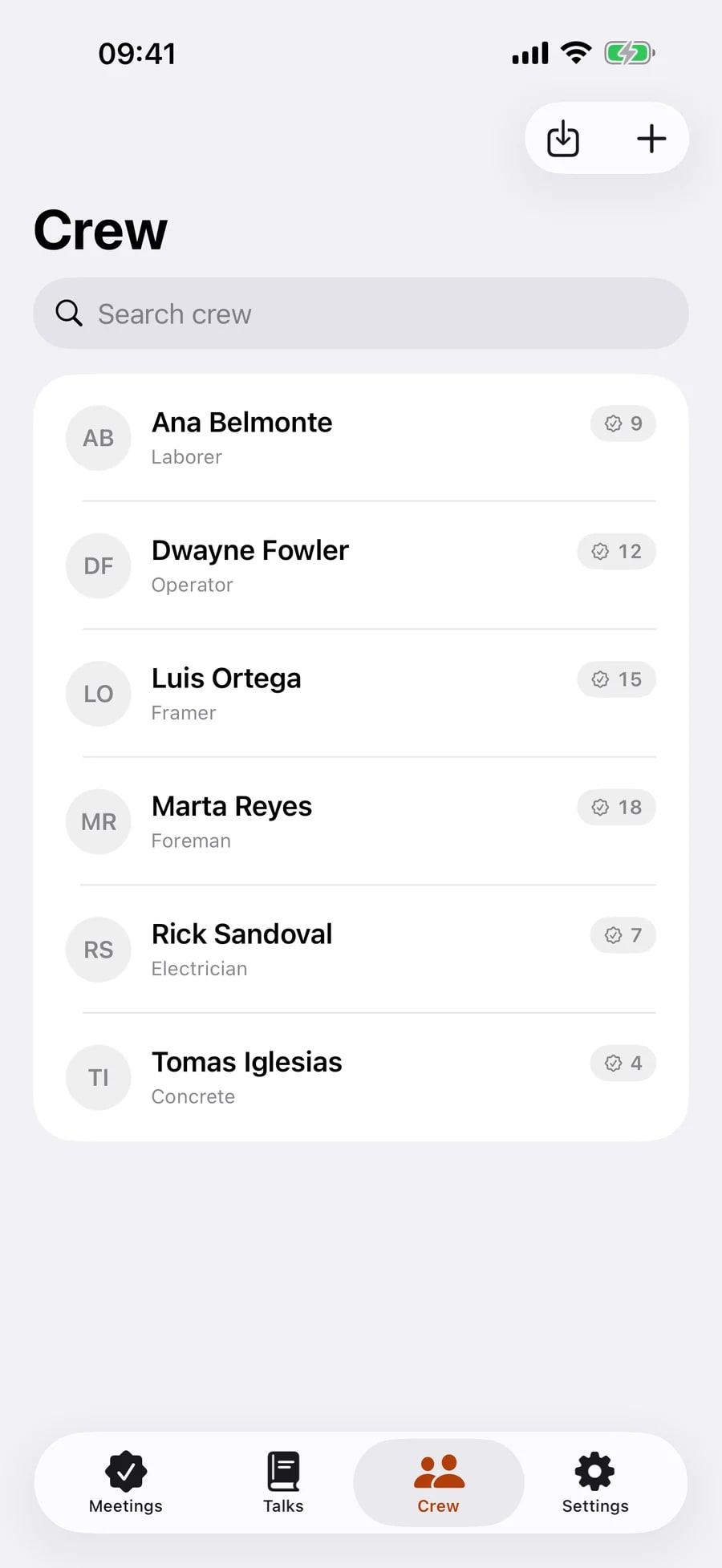
The Crew tab: a saved roster of workers with their trades listed beneath their names.
The roster, saved once

132 talks, and every one of them exists in Spanish.

Not a list of titles. Each talk is a readable half page written to be said out loud on a job site: the hazard in plain words, what to do, what not to do, and questions that make somebody other than the foreman speak. 6 to 10 minutes each. Read one out in Spanish while the phone stays in English, and the report records which language it was read in.

  • Falls and ladders11
  • Electrical and lockout/tagout11
  • Hand and power tools11
  • Respiratory and silica dust7
  • Scaffolding6
  • Confined spaces6
  • Heat illness6
  • Rigging and lifting6
  • Hazard communication and SDS6
  • Ergonomics and manual lifting6
  • First aid and emergency response6
  • Trenching and excavation5
  • Cold stress5
  • Mobile equipment and struck-by5
  • Fire prevention and hot work5
  • Housekeeping5
  • Driving and work zones5
  • Fatigue, drugs and alcohol5
  • Eye and face protection4
  • Hearing4
  • Asbestos and lead4
  • Required PPE3

108 of the 132 are written originally for ToolboxLog. The other 24 draw on federal OSHA and NIOSH publications, which are US public domain, and each names the document it came from. Nothing is taken from a source that reserves its rights, and the app lists every non-original citation in Settings, under About. You can write your own talks too, and a content update will never overwrite them.

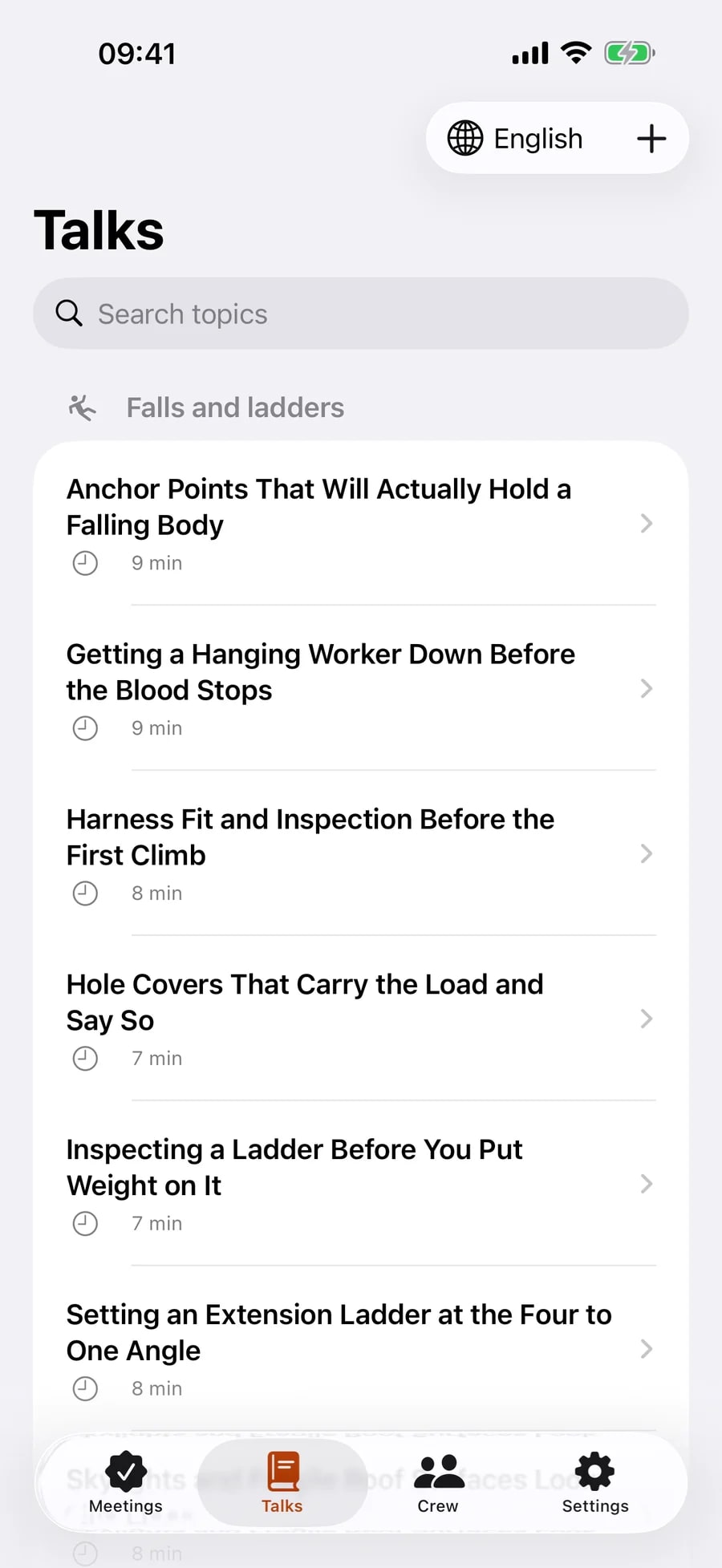
The Talks tab: safety talks grouped under Falls and ladders, each row showing the title and how many minutes it takes to read, with an English and Español switch at the top.
The library, grouped by hazard

The meeting is one of the records it keeps.

All of these are signed on the phone, rendered as PDFs and filed in the same archive. None of them is metered: the free tier limits how many meetings you create, and nothing else.

  • Walk-around inspection

    Washington asks for a joint walk-around by one management member and one elected employee at the beginning of each job and at least weekly after that. Holding the meeting does not satisfy it, so it runs on its own clock, and both named representatives sign before the record is finalised.

    Until the job completes

  • Incident and near-miss report

    What happened, where, who was involved, what was done about it. The app prints the report and nothing more: it is not an OSHA 300 Log, a 301 form or an annual summary, and the record says so on its face.

    5 years

  • Job hazard analysis and pre-task plan

    The task broken into steps, the hazard in each step, and the control that answers it, signed by the crew who are about to do the work.

    No set period

  • Worker training records

    Per person, not per meeting: every talk one worker has sat through, with dates, produced as a single report when a client or an insurer asks what that person has been trained on.

    Follows the meeting record

  • Attendance report

    The other axis of the same archive: who attended what, across a date range and a job site, as one document.

    Follows the meeting record

Every signed document carries a verification code, and any of them can be re-opened, re-shared or checked against that code years after the job closed. Federal 29 CFR 1904 separately requires most employers to keep an OSHA 300 Log, an annual summary and 301 forms. ToolboxLog produces none of those, and the incident report it writes says so on its own face.

It knows which rule your job site is held to.

Pick the state once. The app then counts the deadline the way that state counts it, asks for the reviews that state makes part of the meeting, and prints the retention notice that state sets, naming the section it comes from so that you can go and read it.

California

Title 8 §1509(e) · §8406(e) underground

At least every 10 working days for construction, and at least weekly for underground work.

Retention · 1 year, set by §3203(b)(2)

Section 1509(e) orders the meeting and sets no period of its own. The one-year period comes from the injury and illness prevention programme rule, which is a different section, so the app names that one on the notice.

Washington

WAC 296-155-110

At the beginning of each job and at least weekly after that, with documented attendance, documented subjects and written minutes.

Retention · 1 year, set by §110(8)

Subsection (6) makes three reviews part of the meeting itself: the walk-around inspection, any citation, and any accident investigation since the last one. The app asks for all three before it will finalise a Washington meeting.

Oregon

OAR 437-001-0765

Monthly, and before each job lasting more than one week.

Retention · 3 years, set by §0765(13)

Subsection (12) requires the meeting discuss accident investigations, their causes and the corrective measures suggested, so an Oregon meeting that leaves that blank is missing a required element.

Everywhere else

No statutory rule named

Weekly, as a reminder rather than a deadline.

Retention · No period shown

The app will not print a citation it cannot stand behind. Outside the three states above, the weekly reminder is described as a contract or best-practice cadence, and no retention notice is shown.

ToolboxLog is not affiliated with, endorsed by or approved by OSHA, Cal/OSHA, the US Department of Labor or any government agency. The citations are here so that you can check them; they are not legal advice.

Nothing you write here reaches us.

There is no account, no login and no server. Meetings, attendance, signatures, your roster, your company profile and your logo are written to the phone’s own storage and stay there. No analytics SDK, no tracking, no advertising identifier. The app declares an empty collected-data list in its privacy manifest, and the only network call it makes at all is the App Store talking to itself about your subscription.

Copies are yours to make: export every signed report as one zip of PDFs, or point the app at an iCloud Drive folder and let it keep a rolling backup, with a data file that restores onto another iPhone.

Read the privacy policy

Data collected
None
Trackers
None
Account required
No
Works offline
Entirely
Your copies
Zip export and iCloud Drive backup

One subscription. It never touches your archive.

The free tier is limited at the moment a record is created, and nowhere else. Whatever you have already signed stays viewable and re-shareable for as long as the phone lasts, subscribed or not.

Free

No account, no card, no expiry

  • 3 signed meetings
  • 8 crew members on the roster
  • All 132 talks, both languages
  • Inspections, incident reports and job hazard analyses, unmetered
  • Reports carry an unbranded ToolboxLog watermark

ToolboxLog Pro

US$59 a year

2 weeks free, then the price shown in your storefront

  • Unlimited signed meetings
  • Your company logo at the top of every report
  • No watermark
  • Unlimited crew roster
  • Still works with no signal, paid or free
Download on the App Store

ToolboxLog Pro is an auto-renewing yearly subscription. Payment is charged to your Apple Account at confirmation of purchase, and it renews automatically each year unless cancelled at least 24 hours before the end of the current period. Manage or cancel it at any time in your Apple Account settings. See the Terms of Use and the Privacy Policy.

Questions

Anything not answered here, write to [email protected].

Run the next one on the phone.

iPhone and iPad, iOS 17 or later. English and Spanish. Available in the United States, United Kingdom, Canada, Australia storefronts.